Intellij add sources root
You need to change what is called the Sources Root of your project to allow Maven to correctly build your code.
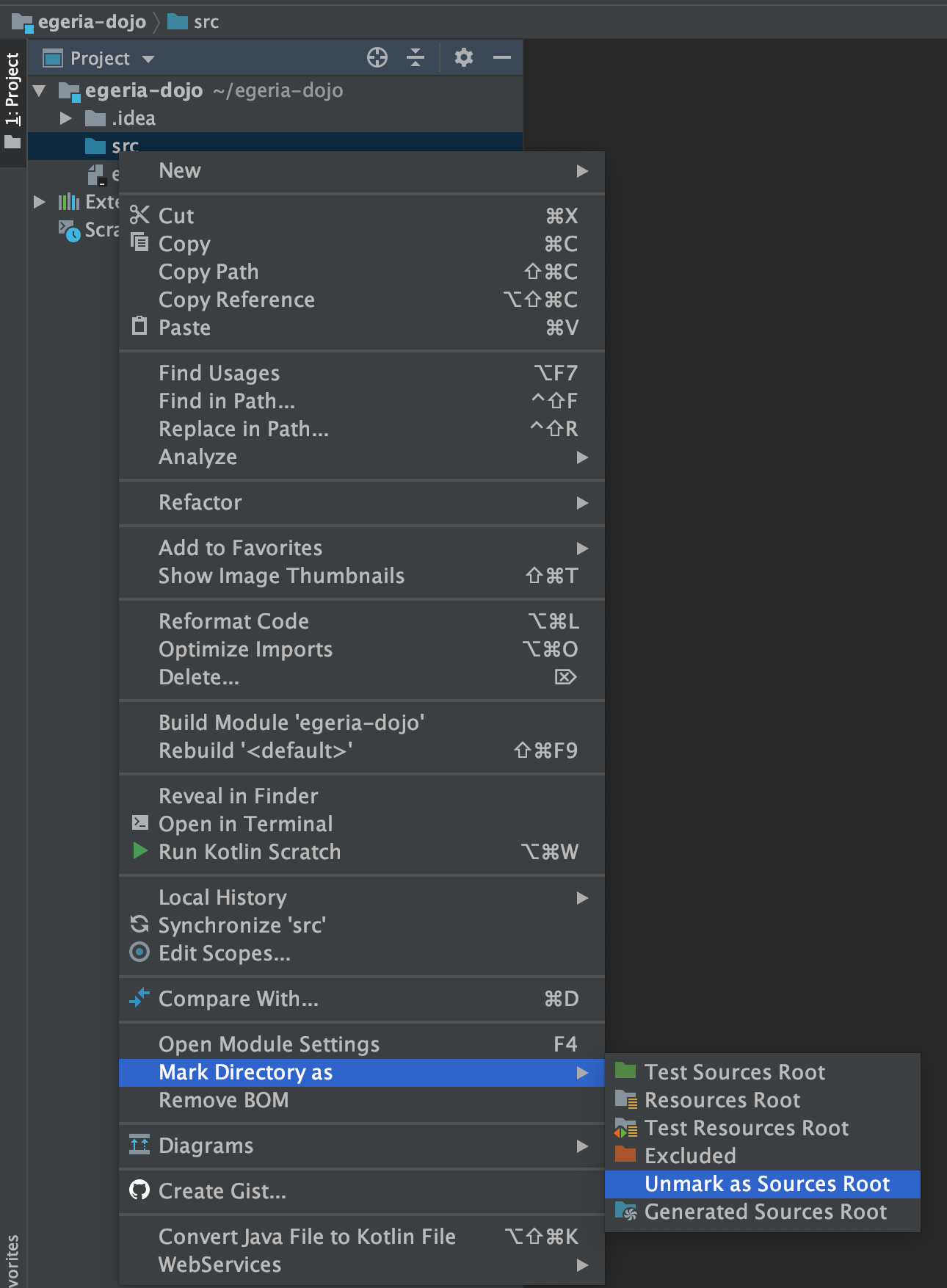
Right-mouse click on src and select Mark Directory as then Unmark Sources Root on the sub menu. The folder icon of src goes grey.
Right-mouse click on src again and select New then Directory.
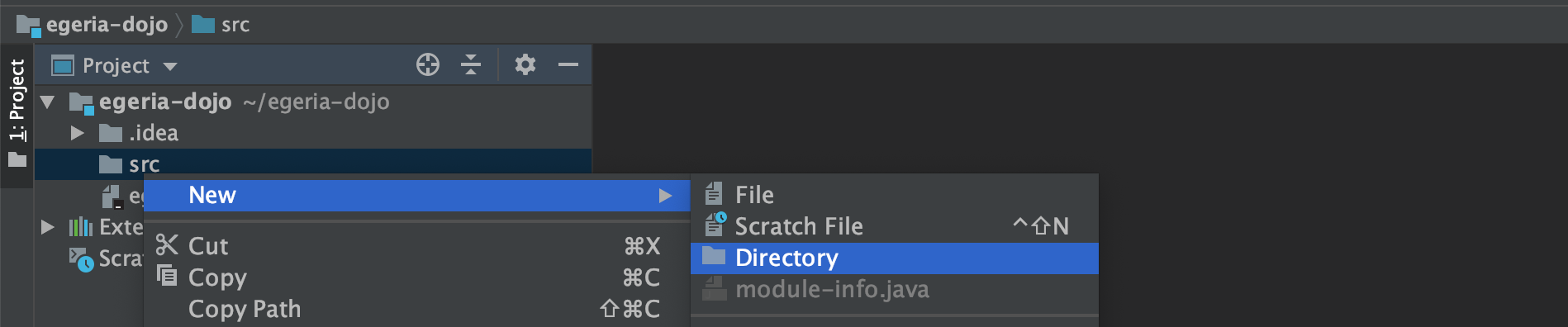
A pop-up box appears asking for the name of the directory. Enter the directory name of main/java.

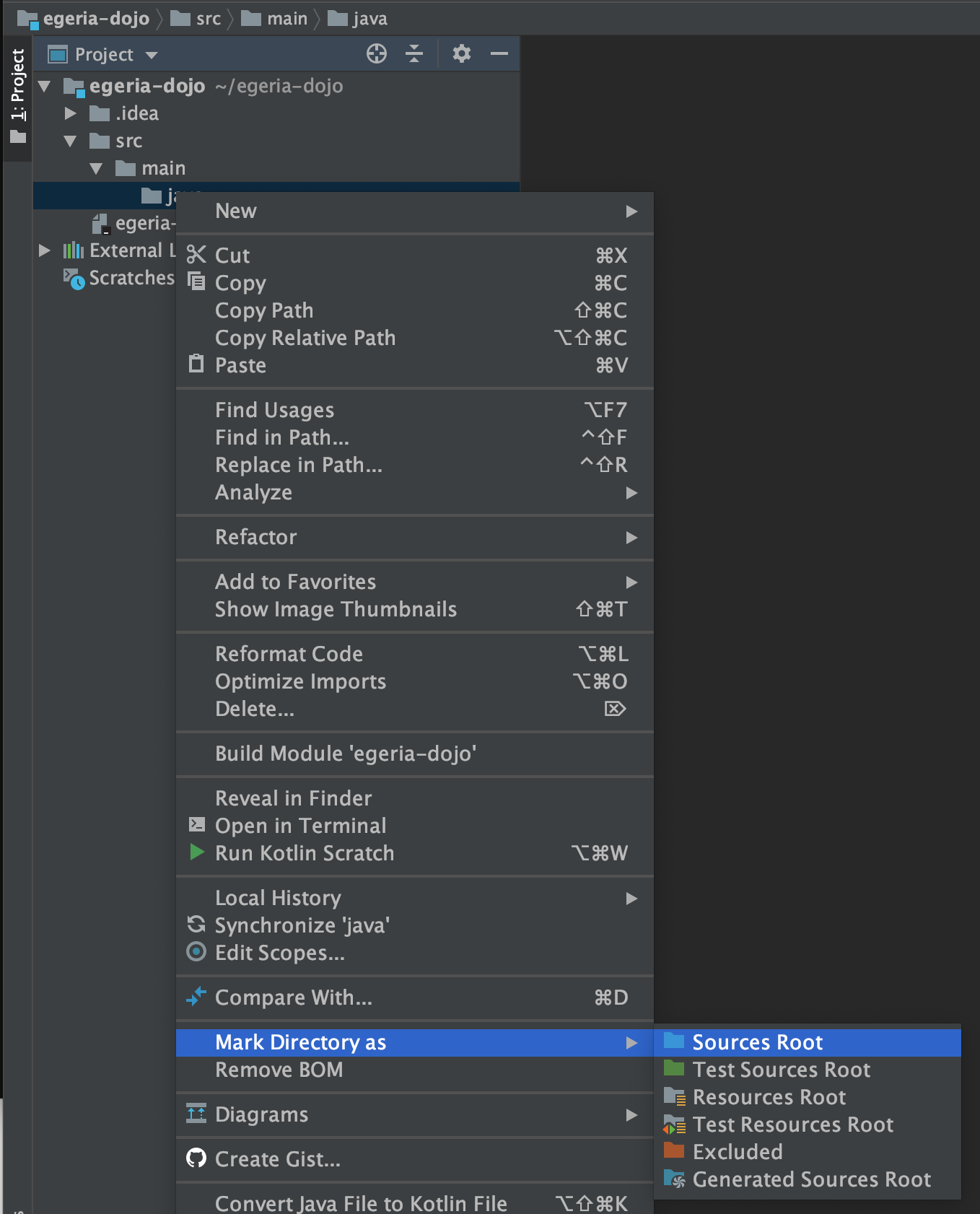
Navigate down the tree to the new java directory. Right-mouse click on java and select Mark Directory as then Sources Root on the sub menu. The folder icon of java goes blue.