Configuring Logback
Configuring Logback
Egeria's clients use SLF4J for developer logging. This technology expects a logging destination to be provided. If you see the following error message when you run your utility, then you need to provide a logging destination.
SLF4J: Failed to load class "org.slf4j.impl.StaticLoggerBinder".
SLF4J: Defaulting to no-operation (NOP) logger implementation
SLF4J: See http://www.slf4j.org/codes.html#StaticLoggerBinder for further details.
Logback is a technology that provides a logging destination for SLF4J. It is included in your utility if its dependency is added to your pom.xml file.
<dependency>
    <groupId>ch.qos.logback</groupId>
    <artifactId>logback-classic</artifactId>
    <scope>compile</scope>
    <version>${logback.version}</version>
</dependency>
Controlling the level of developer logging is handled by a logback.xml file located in a resource directory at top level of your module.
Creating the logback.xml file
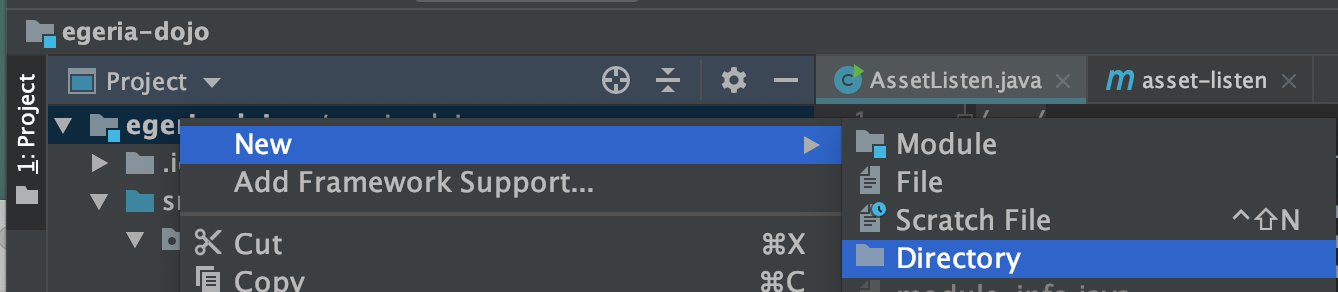
Select your top-level code directory (module) and using the right-mouse menu select New then Directory.
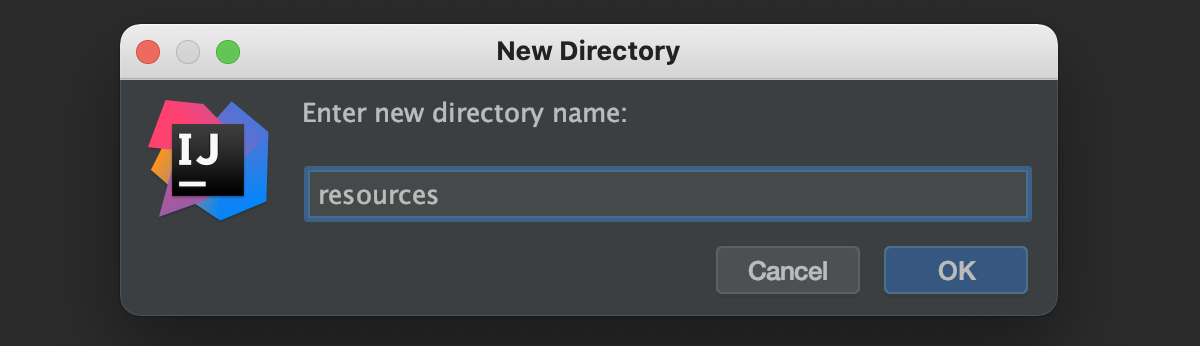
Enter the directory name as resources.
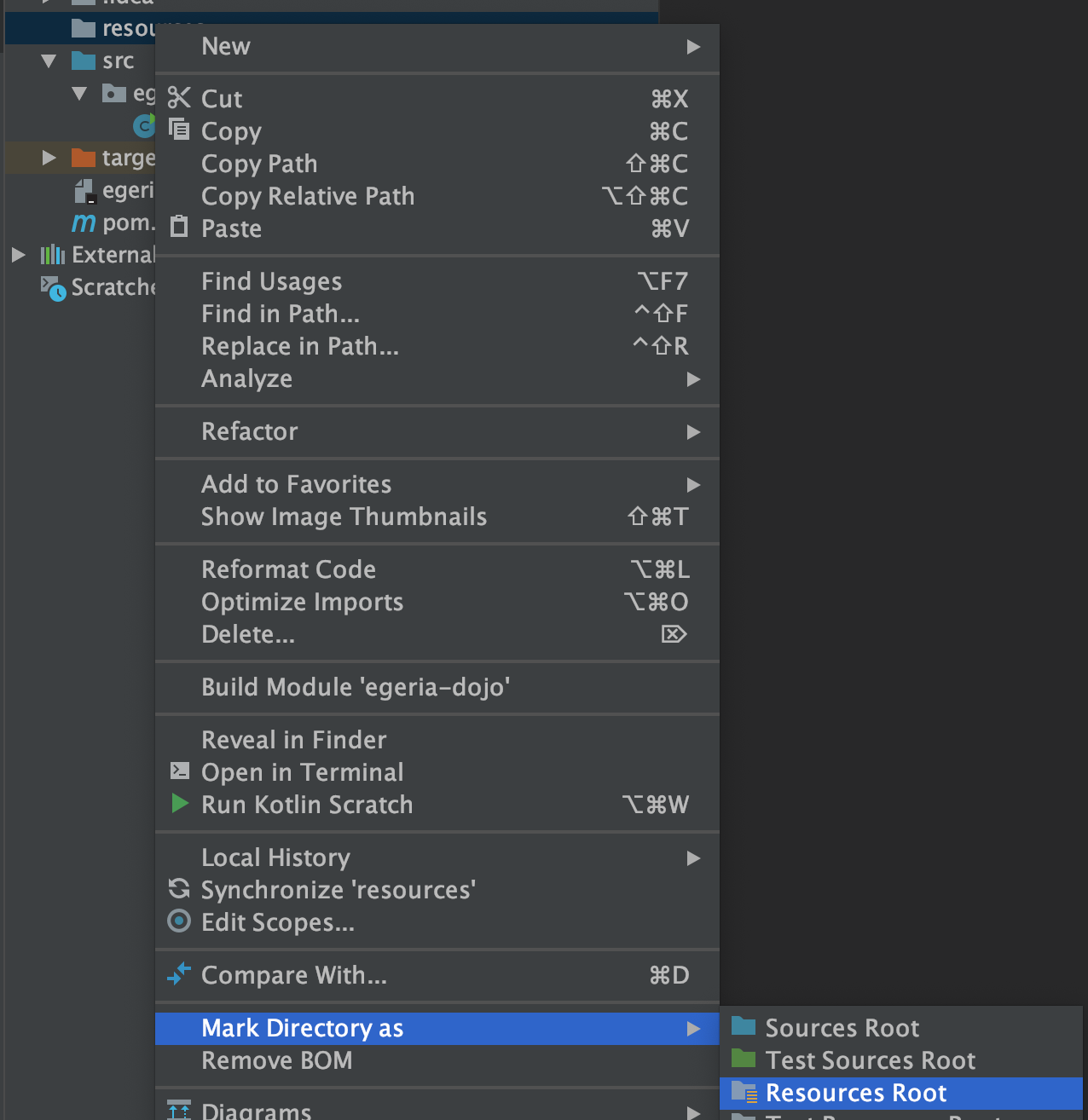
Select the new resources directory. Use the right-mouse menu to select Mark Directory as and then Resources Root.
The icon of the directory changes.

Select the resources directory again. Use the right-mouse menu to select New and then File.

Enter the filename of logback.xml and click ok

The content of the logback.xml defines the level of logging. This is a suggested starting set of values for logback that turns developer logging off. You can the enable the logging as required.
<?xml version="1.0" encoding="UTF-8"?>

<!-- SPDX-License-Identifier: Apache-2.0 -->
<!-- Copyright Contributors to the ODPi Egeria project. -->

<configuration>

  <appender name="STDOUT" class="ch.qos.logback.core.ConsoleAppender">
    <encoder>
      <pattern>%d{HH:mm:ss.SSS} [%thread] %-5level %logger{36} - %msg%n</pattern>
    </encoder>
  </appender>

  <root level="OFF">
    <appender-ref ref="STDOUT" />
  </root>
</configuration>
If your utility includes unit tests, you will need to create a logback-test.xml file in the same resources directory with similar content.