Downloading Egeria
Egeria is an open source project that can be:
- Downloaded from GitHub and built to create your own customized version of Egeria.
- Used directly from a prebuilt docker image from either DockerHub or Quay.io
For developers wishing to contribute to Egeria
Contributions to Egeria need to be made via a Pull Request (PR) from you own fork of the project. There are detailed instructions on how to do this in the Git and GitHub Tutorial
Downloading Egeria from GitHub
There are two ways to download Egeria from GitHub:
- Directly from the website
- Using git commands from your laptop
The second approach is faster, but requires git to be installed on your machine which is worthwhile doing if you are anticipating downloading Egeria frequently.
Downloading Egeria from GitHub website
Downloading Egeria from GitHub website
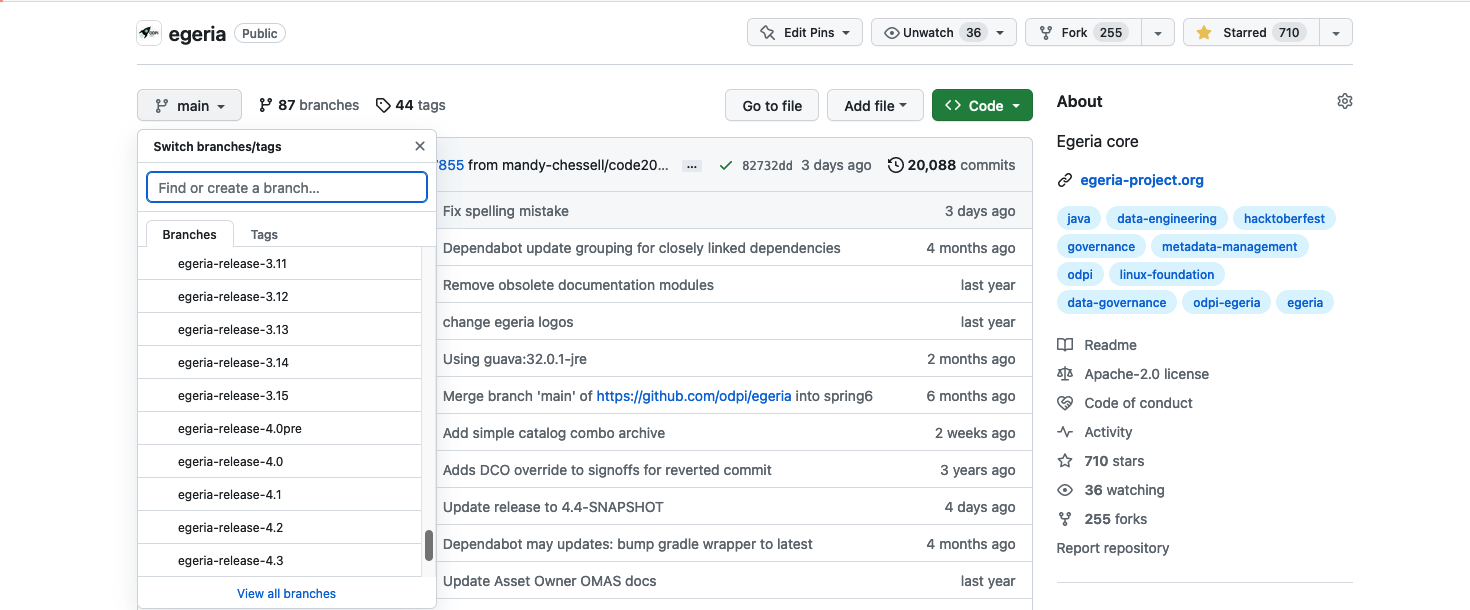
Open Egeria's git repository on GitHub by clicking on this link: https://github.com/odpi/egeria. The code that is displayed is the latest version of the Egeria code and it is in a branch called main. This is the default code that will be downloaded. If you want a specific release, click on the main button to reveal a scrollable menu. Scroll down to the branches named egeria-release-{version-number} and select the release you desire.
Click on the green <> Code button to reveal a menu and select Download ZIP
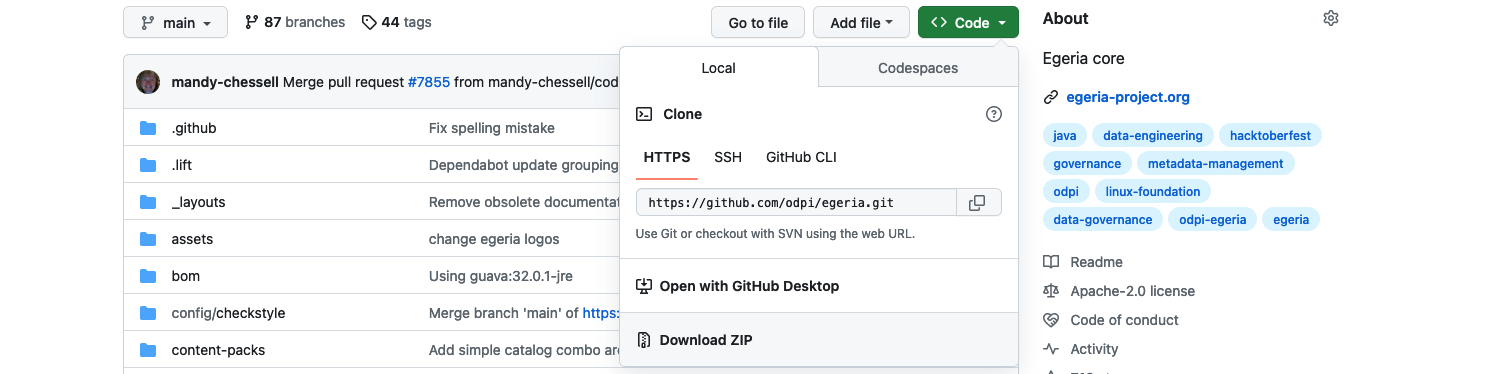
The egeria source is quite big do it may take a few minutes to download. Once it is downloaded, you can unpack the zip file into a suitable directory (folder) on your machine. The file structure will be the same as the structure shown on GitHub.
Downloading the Egeria Source using git commands
Cloning the Egeria Source using git commands
The code for Egeria is downloaded from each git repository one at a time. The commands shown in each tab below create a clone (copy) of the egeria git repositories for your own use.
When to use a fork and clone rather than a simple clone
If you want to make a contribution to Egeria, or wish a simple way to refresh your copy with the latest code, you need to create a fork and clone your fork rather than cloning the main repository itself.
Create a new directory for Egeria's main libraries. In the example below it is called egeria-main-libraries:
mkdir egeria-main-libraries
Change to your new directory.
cd egeria-main-libraries
Egeria's source is extracted from GitHub using the following git command:
To retrieve the code for a specific release of Egeria enter
git clone -b egeria-release-{release-number} --single-branch https://github.com/odpi/egeria.git
git clone -b egeria-release-3.14 --single-branch https://github.com/odpi/egeria.git
To retrieve the latest "SNAPSHOT" code from the main branch of Egeria enter:
git clone https://github.com/odpi/egeria.git
A new directory has been created with the core Egeria source code. Change to the egeria directory and you are ready to build the source.
cd egeria
Create a new directory for Egeria's workspaces.
mkdir egeria-workspaces
Change to your new directory.
cd egeria-workspaces
Egeria's workspaces files are extracted from GitHub using the following git command:
git clone https://github.com/odpi/egeria-workspaces.git
A new directory has been created with the workspaces' source code. Change to the egeria-workspaces directory and you are ready to build the source.
cd egeria-workspaces
Create a new directory for Egeria's documentation.
mkdir egeria-docs
Change to your new directory.
cd egeria-docs
Egeria's documentation is extracted from GitHub using the following git command:
git clone https://github.com/odpi/egeria-docs.git
A new directory has been created containing the documentation. Change to the egeria-docs directory and you are ready to build the documentation.
cd egeria-docs
Create a new directory for Egeria's python function.
mkdir egeria-python
Change to your new directory.
cd egeria-python
Egeria's python code is extracted from GitHub using the following git command:
git clone https://github.com/odpi/egeria-python.git
A new directory has been created containing the code. Change to the egeria-python directory and you are ready to work with python.
cd egeria-python
The ls command allows you to list the files from the repository:
ls
It should be the same as the contents of the git repository on GitHub.
Once you have downloaded the Egeria source, it is ready to build.
Raise an issue or comment below